
收录待用,修改转载已取得腾讯云授权
Win 下的编译与配置
首先肯定是配置 win 下的 Ngrok 的客户端。
其实和编译 ubuntu 客户端一样,只需要一条指令就可以了
在 ngrok 目录下
# GOOS=windows GOARCH=amd64 make release-client
编译完成后,会自动生成一个名为 windows_amd64 的文件夹,里面有一个 ngrok 的文件。同样配置好 ngrok.cfg 之后,执行命令,这里换成了 win 下的命令行执行。
server_addr: “ ngrok.mdzz2333.cn:4443"trust_host_root_certs: false
//--------------------------ngrok.cfg 内容
执行指令:
#./ngrok -subdomain pub -proto=http -config=ngrok.cfg 80
这里就成功的将 80 端口转发出去了。
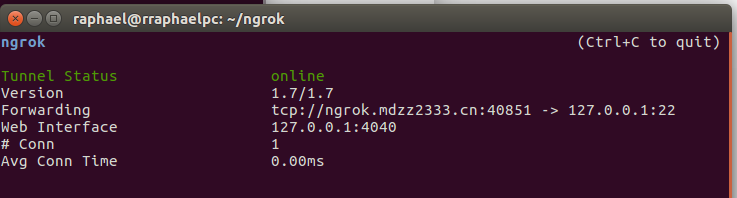
下面再说一下,如何外网访问 22 端口的 ssh
# ./ngrok -proto=tcp -config ngrok.cfg 22
22 端口 SSH
# ./ngrok -proto=tcp -config ngrok.cfg 22
使用 putty 链接: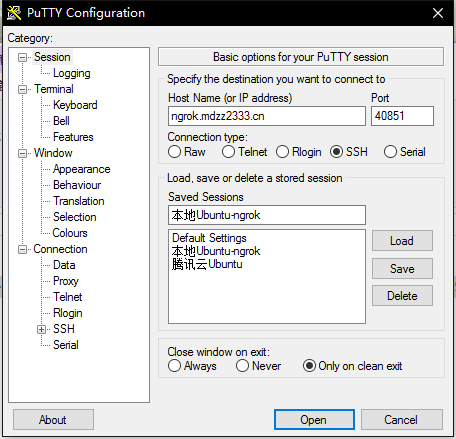

参考属性列表:

原文链接:https://www.qcloud.com/community/article/539718001489587717
 Select Language