fisheva
V2EX  ›  macOS

MacOS Mojave 10.14.6 VSCode 白边问题求助

  •  
  •   fisheva · Dec 14, 2019 · 3951 views
    This topic created in 2381 days ago, the information mentioned may be changed or developed.

    网上搜了好多 答案都是下面这个命令

    # 启用命令
    defaults write -app 应用 NSRequiresAquaSystemAppearance -bool No
    
    # 举例
    defaults write -app Visual\ Studio\ Code NSRequiresAquaSystemAppearance -bool No
    
    # 取消
    defaults write -app Visual\ Studio\ Code NSRequiresAquaSystemAppearance -bool Yes
    # 或者
    defaults delete -app Visual\ Studio\ Code NSRequiresAquaSystemAppearance
    
    # 查看当前状态
    defaults read -app Visual\ Studio\ Code NSRequiresAquaSystemAppearance
    

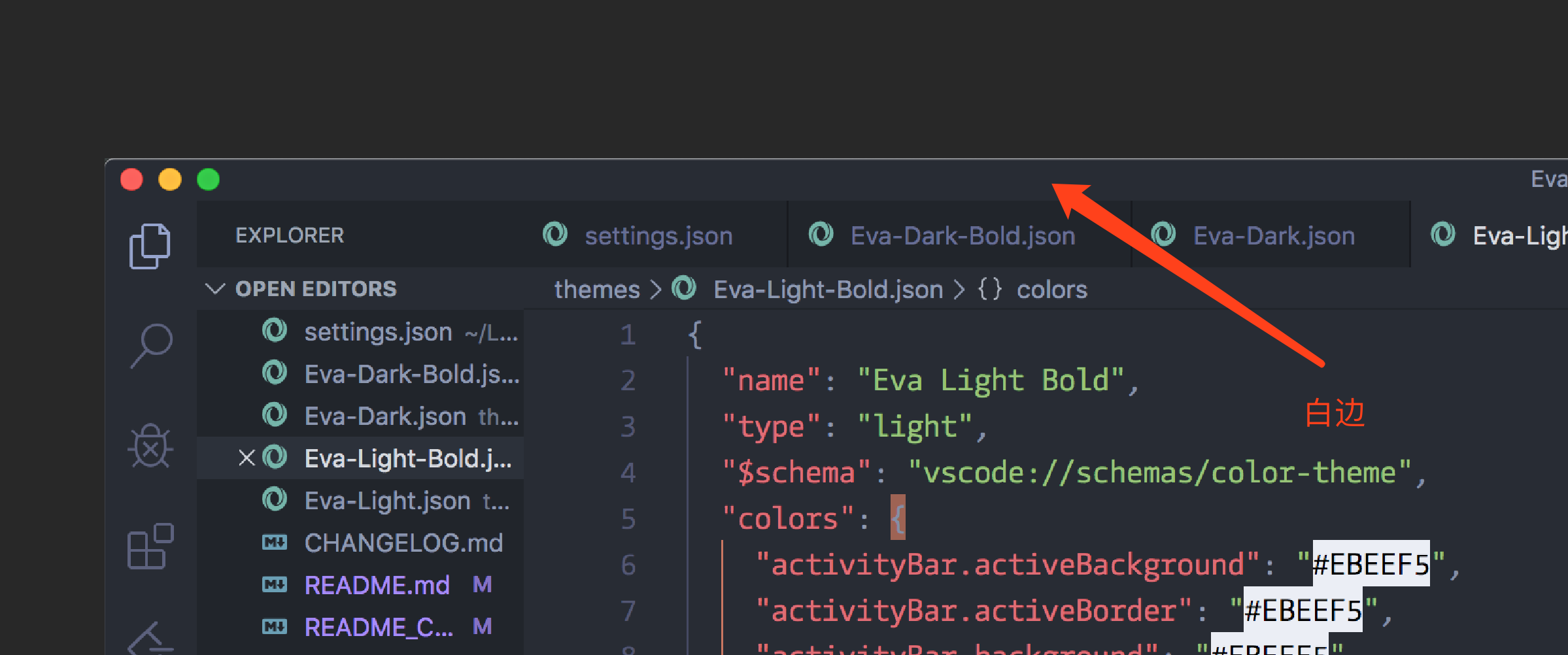
    可是这个命令不起作用! VSCode 顶上还是有一条亮瞎眼的白边, 原来最喜欢的就是暗色模式, 拜这个白边所赐都改用亮色模式了 有没有大佬知道真正的解决办法?
    3 replies    2019-12-15 22:20:00 +08:00
    hronro
        1
    hronro  
       Dec 14, 2019 via iPhone
    这个无解吧,macOS 的锅
    hanghang
        2
    hanghang  
       Dec 14, 2019
    这个不就是窗口化的阴影效果吗。还能改?
    ililu
        3
    ililu  
       Dec 15, 2019
    我记得是 10.14 开始有的白边,然后问了下说这是系统的新特性-_-!
    https://www.v2ex.com/t/492986#reply6
    About   ·   Help   ·   Advertise   ·   Blog   ·   API   ·   FAQ   ·   Solana   ·   5589 Online   Highest 6679   ·     Select Language
    创意工作者们的社区
    World is powered by solitude
    VERSION: 3.9.8.5 · 51ms · UTC 08:23 · PVG 16:23 · LAX 01:23 · JFK 04:23
    ♥ Do have faith in what you're doing.