
如题,在使用时有的条目的字体看着很别扭,一般情况下都是繁体字,如何像简体字一样正常显示?
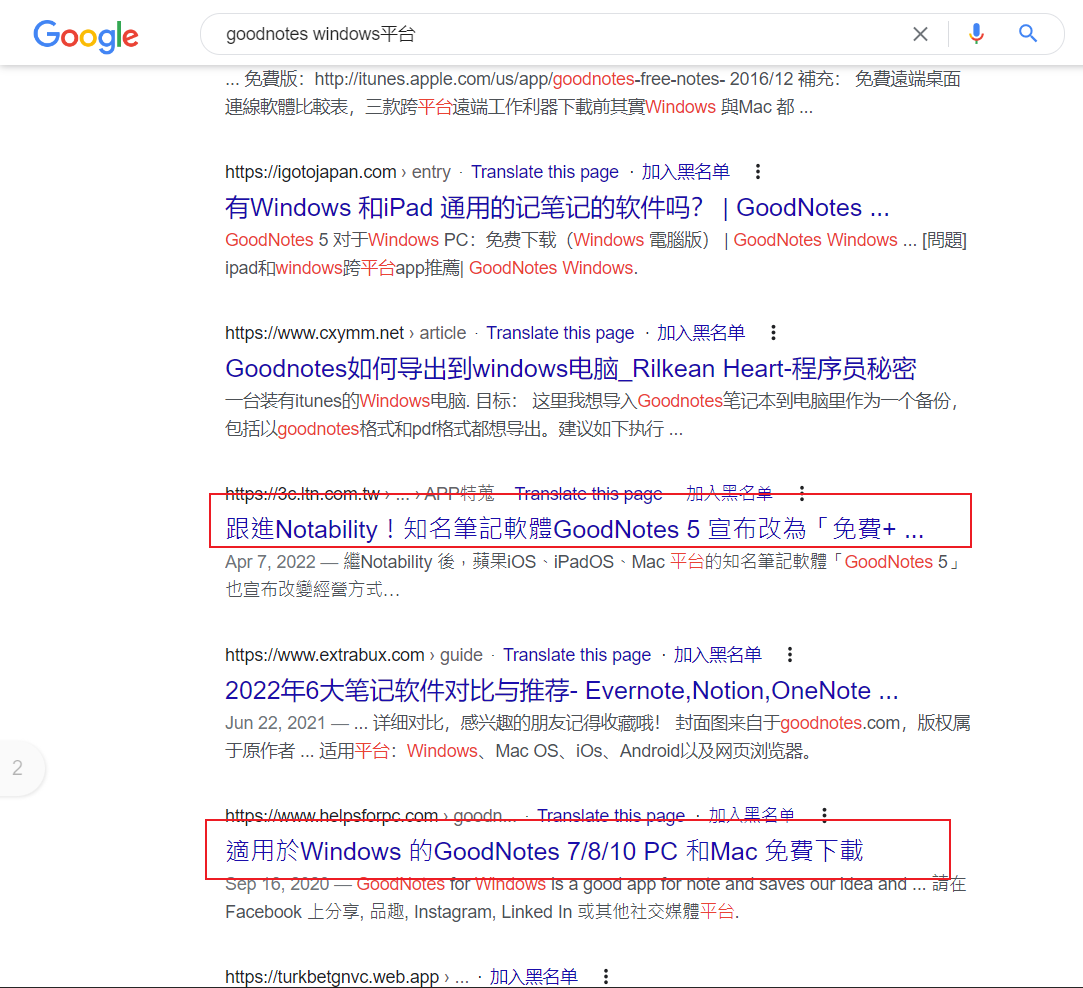
我以为是繁体支持的问题,在 Edge 浏览器的设置中支持简中和繁中,字体是微软雅黑; Google 中也勾选了简中和繁中。但是也无效。

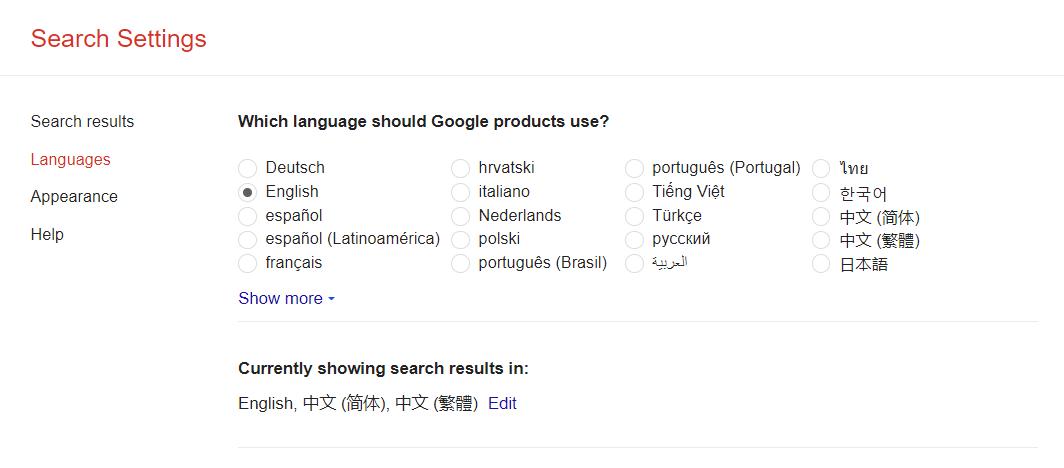
如题,在使用时有的条目的字体看着很别扭,一般情况下都是繁体字,如何像简体字一样正常显示?
我以为是繁体支持的问题,在 Edge 浏览器的设置中支持简中和繁中,字体是微软雅黑; Google 中也勾选了简中和繁中。但是也无效。
 |
1
alienangel Jun 23, 2022
CHROME 里也有这个问题
|
 |
2
mxalbert1996 Jun 23, 2022  3 3
浏览器对不同语言文字有不同的字体回退列表。
如果你想让简中和繁中用同样的字体显示,可以从 https://chrome.google.com/webstore/detail/advanced-font-settings/caclkomlalccbpcdllchkeecicepbmbm 安装 Advanced Font Settings ,然后把 Traditional Han 的字体设置成和 Simplified Han 一样的。 |
 Select Language