
nishuoshenme
V2EX  ›  Windows

怎样阻止 Microsoft Edge 弹出隐私提示啊

  •  
  •   nishuoshenme · Jul 24, 2022 · 2893 views
    This topic created in 1416 days ago, the information mentioned may be changed or developed.

    因为有定期清理浏览器数据的习惯,每次清理完之后打开 edge 都会弹出这个提示,好烦的
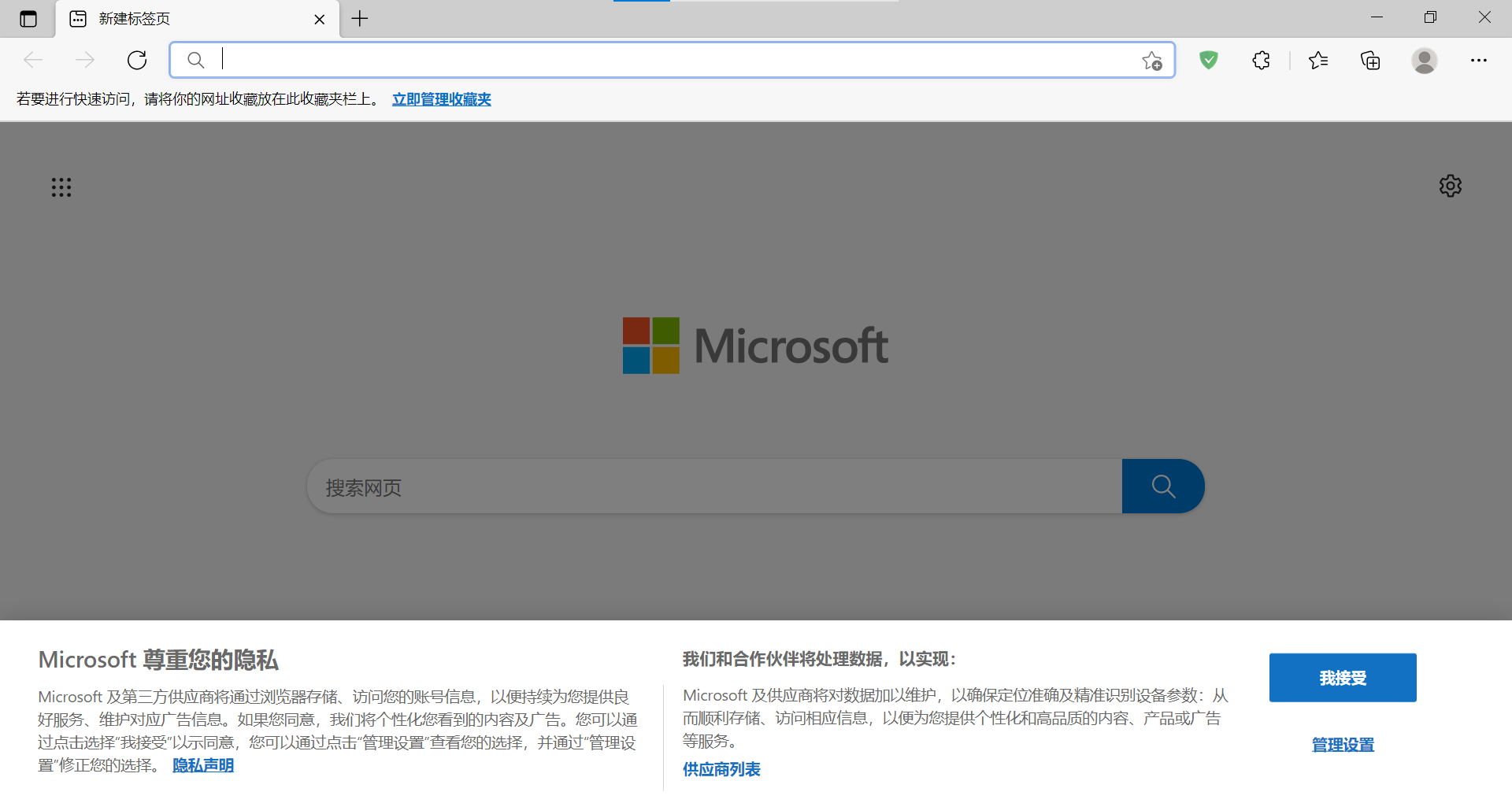
    屏幕截图 2022-07-24 205546.png

    Supplement 1  ·  Jul 25, 2022
    用空白新标签页插件来替换默认的新标签页就没有了,谢谢各位
    7 replies    2022-07-25 17:18:30 +08:00
    cc666
        1
    cc666  
       Jul 24, 2022
    这明显是 cookie ,你都清理了浏览器数据了,欧美网站一般都会弹出这个窗口进行数据收集的确认
    方法嘛,最简单的,不清理微软系的 cookie 应该就可以了,复杂点,自己写脚本屏蔽或者把这段网页加到广告屏蔽里
    janssenkm
        2
    janssenkm  
       Jul 24, 2022
    我也遇到了,我采取的是,直接抛弃这个页面,
    开始时设置启动时和打开时均连接这个: https://www.google.com/ncr
    des
        3
    des  
       Jul 24, 2022
    我不知道还有没有效果,试试启动参数加这个?
    --force-local-ntp
    des
        4
    des  
       Jul 24, 2022
    还不行的试试屏蔽域名
    https://www.v2ex.com/t/797729
    Lanterns
        5
    Lanterns  
       Jul 24, 2022 via Android
    用插件当弹窗拦掉
    nothingistrue
        6
    nothingistrue  
       Jul 25, 2022
    把主页和新标签页,设置为空白页( about:blank ),不让设置就换浏览器。
    jim9606
        7
    jim9606  
       Jul 25, 2022 via Android
    试试这个,福利插件或者 adblock 列表
    https://www.i-dont-care-about-cookies.eu
    About   ·   Help   ·   Advertise   ·   Blog   ·   API   ·   FAQ   ·   Solana   ·   4915 Online   Highest 6679   ·     Select Language
    创意工作者们的社区
    World is powered by solitude
    VERSION: 3.9.8.5 · 1230ms · UTC 01:07 · PVG 09:07 · LAX 18:07 · JFK 21:07
    ♥ Do have faith in what you're doing.